
Name-Based Case Searches
Name searching behaves differently depending on which tool you open. The free Colorado Judicial Docket Search takes a person's first and last name, a business name, or an attorney name. It returns scheduled settings. It is not a full Phillips County case history. For the register, Colorado Judicial's Access Guide points to a vendor called CoCourts. It supports a Phillips County name search and shows real-time entries. Just remember that its data is not the official court record. Treat it as a finding aid.
- Decide whether the goal is a hearing, a chronological case history, or a filed document.
- For a hearing, select Phillips County, choose a date range, and enter the party, business, or attorney name.
- Review each result by unique case number. Two party-name rows may describe the same setting.
- For case history, follow the official Access Guide to an approved ROA vendor and repeat the name search.
- For an official filing, use the case number and document title in a clerk request.
Common names create messy matches. Narrow things with court type, division, or a tight date range. A Phillips County docket search may come back empty. That result is not proof of anything, so try new spellings and the other court level, then call the clerk. The official Colorado Judicial search source displays the complete form and all of its input fields.
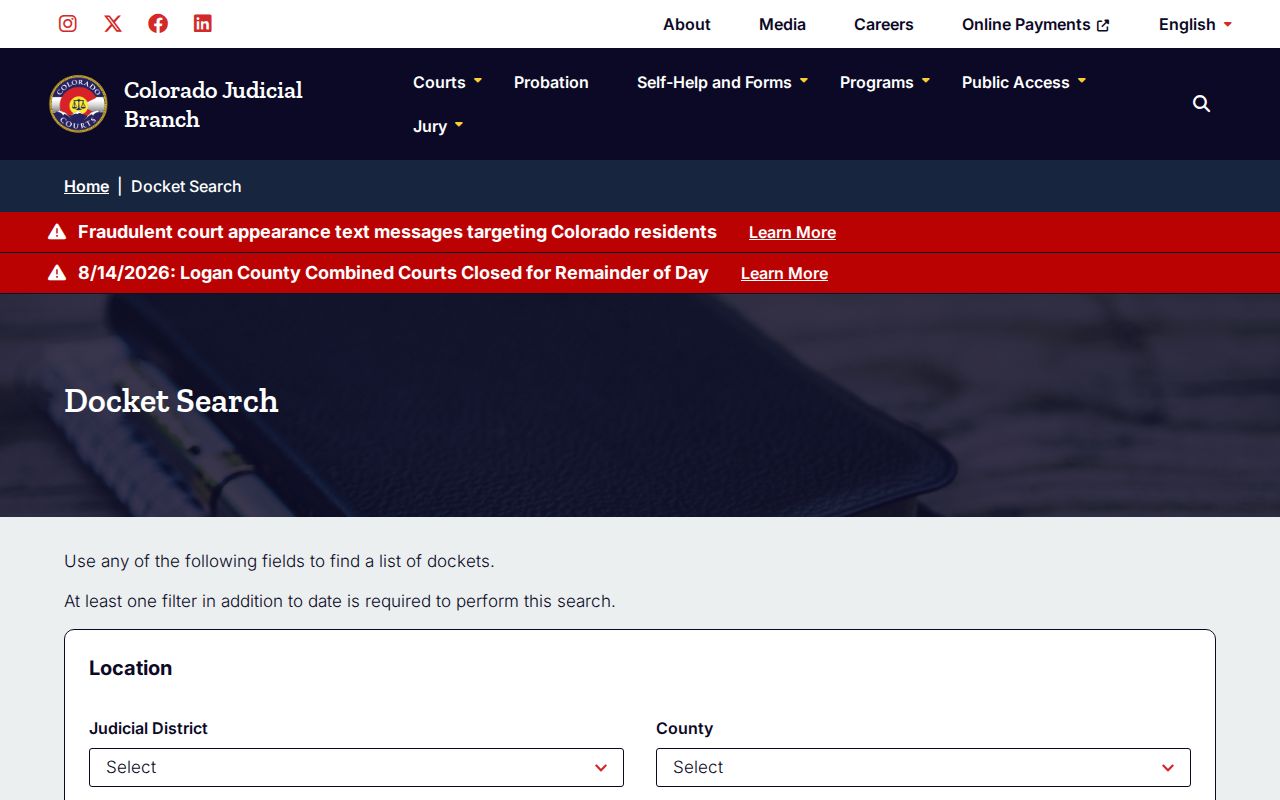
That form keeps party, business, attorney, court, and case-number fields separate. A Phillips County search can be narrowed this way without copying private result data.
Phillips County Docket Search Fields
The public calendar asks for a date plus at least one more filter. You can reach Phillips County by county, courthouse, or district context. Case-number boxes are split into year, class, and sequence. Party and attorney modes surface different fields. Rely only on facts from your case notice or another solid record.
| Field label | Type | Required | Options or format |
|---|---|---|---|
| Judicial District | Dropdown | No | Phillips County is in the 13th Judicial District. |
| County | Dropdown | No | Select Phillips County. |
| Courthouse | Dropdown | No | Dependent choice; Phillips Combined Court is the local site. |
| Court Type | Dropdown | No | Choose District or County when known. |
| Division | Text | No | Local results may show E, 4, or CMP values. |
| Date Range | Dropdown | Yes | Use a preset range or specify a date. |
| 4-Digit Year | Number or text | No | The YYYY part of a case number. |
| Case Class | Dropdown | No | Examples include CR, M, DR, JD, CV, C, S, T, and PR. |
| Case Sequence | Number or text | No | The final serial digits. |
| Individual or Business | Radio | No | Switches the party-name fields. |
| First and Last Name | Text | Conditional | Used for an individual party search. |
| Business Name | Text | Conditional | Used in business mode. |
| Attorney mode | Radio | No | Switches between name and bar-number search. |
| Attorney name or bar number | Text | Conditional | Use the chosen attorney mode. |
Search and reset buttons sit alongside the form. Results may include Printable Version and Export Results, with pagination once more than twenty rows match. No fee or login applies to this hearing-calendar search.
Case Number Searches
A complete case number beats a common name. Colorado formats join a four-digit year, a class code, and a serial sequence. A public example looks like 2026CR11. The case was filed in 2026. CR stands for a District Court criminal case, and 11 is the sequence. The statewide request form also shows a longer pattern such as 2023AA123456. Class codes steer a Phillips County docket search toward the right court level. CR generally means District Court criminal. M means a County Court misdemeanor. CV covers civil. The rest are C for county civil, S small claims, T traffic, DR domestic relations, PR probate, and JD or JV juvenile classes. Check the code on your own notice, because searching the wrong level hides the case. A felony can start in County Court with a complaint or advisement. It may later transfer to District Court under a CR number. If an old number stops showing expected events, search both levels. Then look for the receiving number in the Register of Action. County Court appeals also move up to District Court. District Court appeals go to the Colorado Court of Appeals. Note: enter the year, class, and sequence in their separate search boxes. Never paste the whole number into a name field.
Phillips County Docket Search Products
Three products, three questions. The free docket answers the hearing question. It tells you when a hearing is scheduled. The Register of Actions tracks what events have been entered over a case's life. The official case file holds the pleading, order, judgment, or ticket itself. Mixing these up is the top reason a Phillips County search comes back feeling incomplete.
| Product | What it provides | Best channel |
|---|---|---|
| Docket or calendar | Upcoming hearing date, time, type, place, division, and appearance information. | Free Colorado Judicial Docket Search. |
| Register of Action | Chronological case summary with events, minute orders, settings, charges or claims, and disposition fields. | Approved vendor or clerk request. |
| Filed court record | The exact complaint, motion, order, judgment, ticket, or certified copy. | Phillips Combined Court clerk. |
The Judicial Branch Access Guide to Public Records explains the vendor and clerk split.
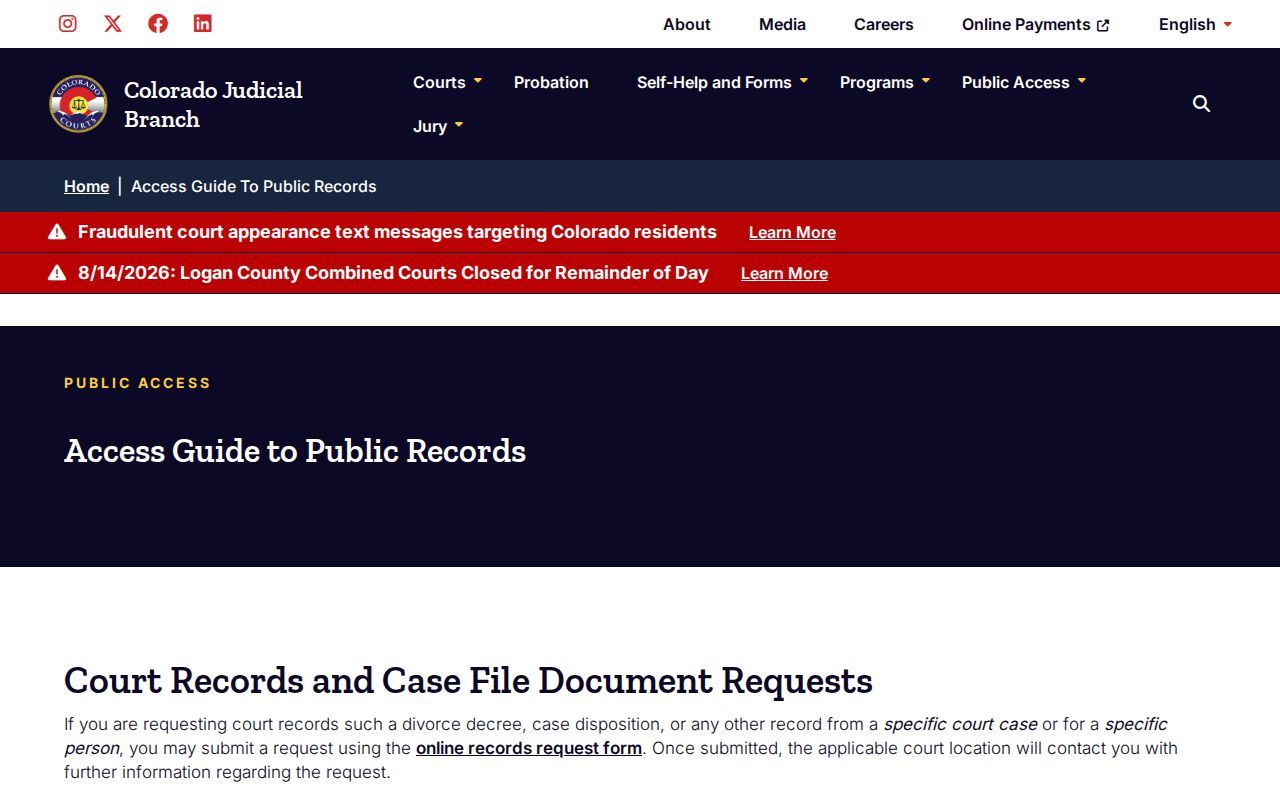
The official guidance is blunt. Vendor ROA sheets help with a docket search. They cannot stand in for the records Phillips Combined Court keeps itself. A one-line ROA label works as an index entry, nothing more. It does not give a ruling's full text. When exact wording matters, ask the clerk for the filed order.
Case Search Results Explained
A calendar result and an ROA detail view overlap, but they answer different questions. The calendar focuses on the next event. A Phillips County ROA typically adds the filing date, parties and roles, counsel, case status, dated filings, minute orders, charges or claims, disposition, and public financial data. A vendor result can be current yet still uncertified.
| Case number and class | The year, case type, and sequence used to identify and route the Phillips County matter. |
|---|---|
| Caption and parties | The short case title and public party roles, such as plaintiff, defendant, petitioner, or respondent. |
| Court and division | The County Court or District Court assignment and the listed courtroom or division. |
| Filed date and status | When the matter began and its current open, closed, or disposed status, subject to the full record. |
| Chronological events | Dated filings, notices, minute orders, motions, settings, and other case activity. |
| Hearing data | Date, time, type, location, duration estimate, and appearance field when published. |
| Disposition | How a charge or claim ended; status alone should not be treated as the outcome. |
| Document images | Not supplied through Colorado Judicial's public trial-court site or the vendor ROA result. |
Terms like minute order, continuance, disposition, and judgment are summaries, not the documents themselves. Get the filing from the clerk to read the operative language and any conditions.
Phillips County CoCourts Search Limits
LexisNexis CoCourts appears on Colorado Judicial's Access Guide. The guide names it as a vendor for real-time county and district register data. It allows searching by name or exact number, but it is a commercial service. Its ROA is expressly not the official record. It also does not provide copies of filed documents. The vendor source assigned for Phillips County docket search appears on the official Access Guide page linked above.
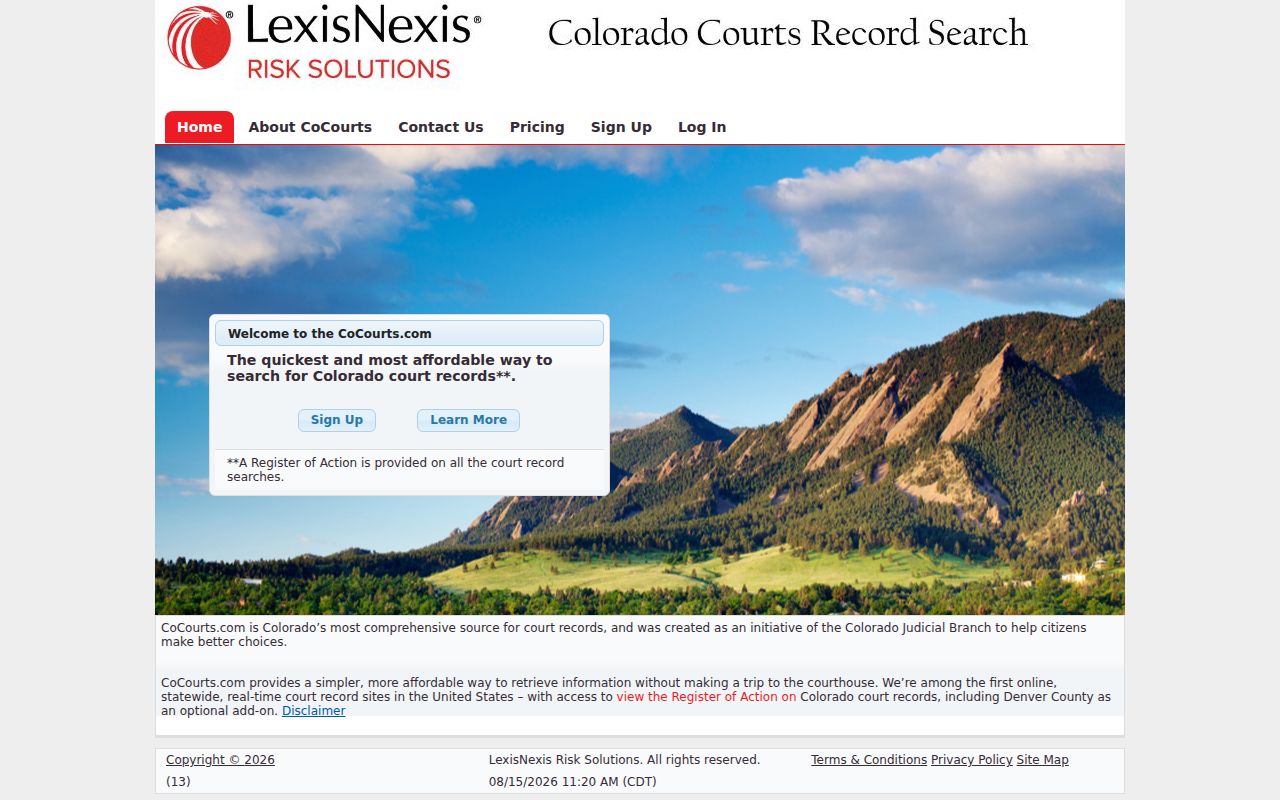
That view is the ROA channel. It is not a clerk-certified file or a free hearing calendar.
Suppose CoCourts lists an entry and the actual order is what matters. Write down the case number, the document title, and the filing date. Then send those details through the Record/Document Request Form. Or bring them to the Phillips Combined Court counter. If the vendor search comes up empty, start with the simple fixes. Check the spelling first. Then confirm the date, the class, and the court level. After that, ask the clerk about older files, municipal matters, or records under restriction.
Two Ways to Search: County and State
Phillips County never built its own case portal. The official Phillips County trial-court page sends visitors into statewide tools instead. There, Phillips County works as a location filter. The clerk stays the official custodian of the court records.
The county-filtered calendar is really just a prepared view of Colorado Judicial's statewide Docket Search. CoCourts pulls live Phillips County register data. But it is a vendor layer on top.
| Channel | Coverage and value | Limit |
|---|---|---|
| Phillips-filtered calendar | Free upcoming settings already narrowed to Phillips County. | No full ROA or document images. |
| Full statewide calendar | Useful when the county or court location is uncertain. | Still a hearing list, with date plus another filter required. |
| Approved ROA vendor | Name and case-number search across real-time county and district register data. | Commercial and not the official record. |
| Phillips clerk | Official ROA, filed records, certified copies, and local file confirmation. | Fees, access rules, and retrieval time may apply. |
Which route wins depends on the question. Need a hearing date? Start with the free calendar. A filing history calls for the vendor or an ROA request. For an exact order, go to the clerk. The Phillips County court schedule page lays out the deeper setting workflow.
Phillips County Docket Search Fallbacks
The online search can stall. When it does, the Clerk of Court at Phillips Combined Court is the decisive fallback. The official Phillips Combined Court location sits at 221 S. Interocean Avenue, 2nd Floor, Holyoke, Colorado 80734. One office serves both the Phillips County District Court and Phillips County Court. Doors stay open Monday through Friday. Hours run 8:00 a.m. to 3:00 p.m. Call the clerk at 970-762-7010, email PhillipsClerksOffice@judicial.state.co.us, or fax 970-458-7742.
Every documented access route stays open, each with its own purpose:
- Submit the online Record/Document Request Form for an ROA or named filing.
- Inspect an eligible file or request copies at the second-floor clerk counter.
- Call, email, or fax to confirm case identification, delivery, payment, or archived-file handling, while not expecting full case facts by phone.
- Mail the printable request form to the courthouse after confirming acceptable payment and including enough case detail.
- Ask whether a public terminal is available before travel because Phillips-specific terminal access was not confirmed.
- Use courtdatarequests@judicial.state.co.us only for compiled Judicial Department data, not one case file.
The statewide request route aims to answer within three business days. Unusual circumstances can stretch that window. Off-site or redacted files may take longer still. A nonparty name search with an ROA runs $5; giving the case number up front avoids that ambiguity. The Phillips County judges and staff directory lists the current local clerk and court assignments.
Phillips County Search Is Not Certification
Real-time is not the same as official. Visible is not the same as complete. A CoCourts result can help you spot the Phillips County case and its entries. But only the clerk's record controls. Colorado Judicial also posts no online Phillips County trial-court document images for the public. Ask the clerk for a plain or certified copy whenever the exact filed text or an authenticated court record matters.
The Chief Justice Directive 05-01 source sets the current rules that govern public access to court records.
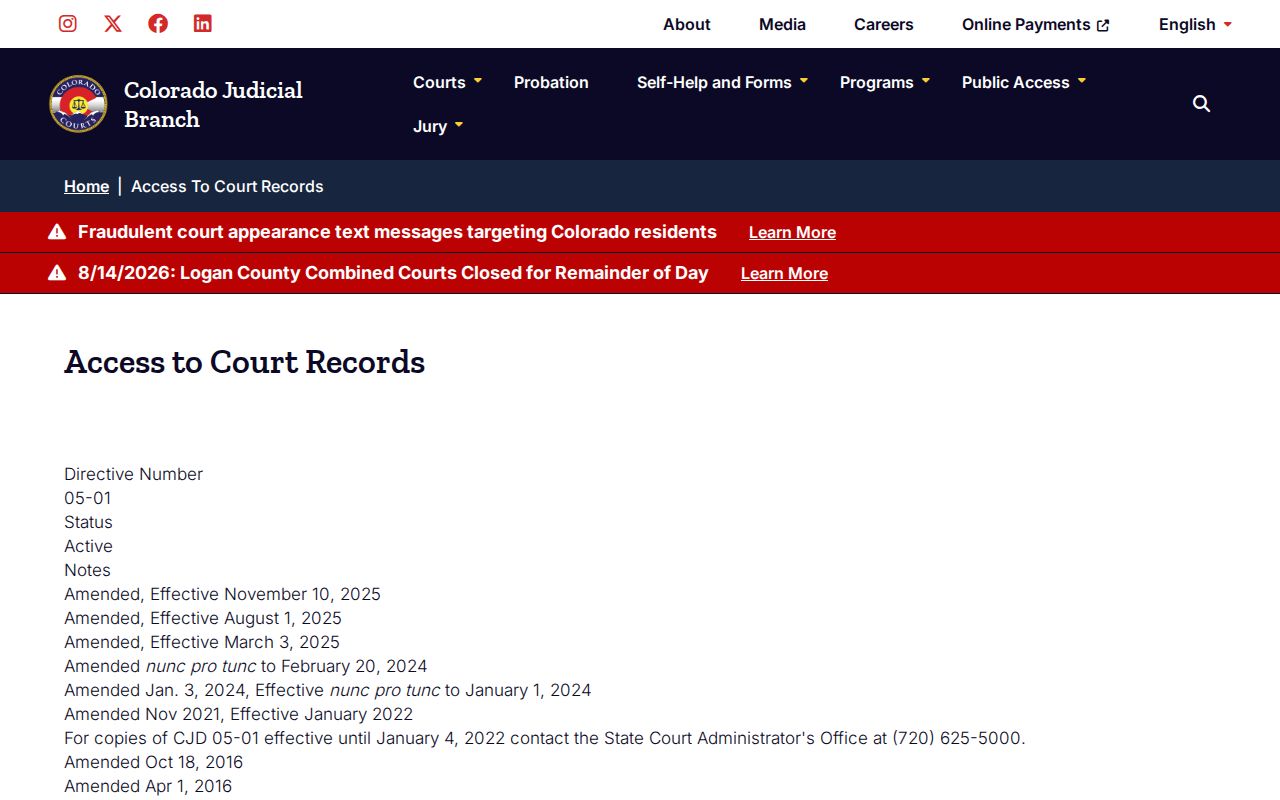
Why follow the live directive page? Access rules were amended several times across 2024 and 2025.
Certification carries its own fees. The clerk charges $20 per certified or exemplified document, plus ordinary copy costs where assessed. Electronic or coin copies run $0.25 per page on the printable form, and paper court copies run $0.75 per page, subject to the clerk's current quote. Ask for certification only when a court or filing need truly requires it.
Which Cases Stay Restricted
Remote access to Phillips County court records is narrower than a walk into the courthouse. Sealed cases may vanish or show only thin metadata. Juvenile delinquency and dependency material stays restricted under Colorado's Children's Code and CJD 05-01. Adoption and protected family filings never sit out in the open like ordinary public records. Probate can show public case-level data while protected documents stay withheld.
A blank Phillips County docket search result does not prove the case is gone. It may just reflect a spelling slip, a narrow date, the wrong court level, an older off-site file, a municipal custodian, delayed indexing, or a legal restriction. And an old vendor entry never proves the current official status still holds. The Phillips County court order and clerk file control. The 2025 amendment to P.A.I.R.R. Rule 2 spells out its own terms.
P.A.I.R.R. covers Judicial Branch administrative records. A given Phillips County case file follows CJD 05-01 and the ordinary court-record process instead.
Access does not follow from identification alone. The request form may require government photo ID for suppressed, juvenile, probate, or protected records, but ID does not create a right to see them.
When in doubt, ask the clerk which custodian and rule apply. Lawful restricted access may require party status, counsel, an agency, another authorized person, or a court order.